
Empower Your Mobile Workforce with Smart Time & Location Tracking
Track attendance, location history, timesheets, and leave approvals seamlessly from Android devices—keeping managers connected and field teams productive wherever work happens.
100%
Real-Time SyncGPS
Location History24/7
Manager Access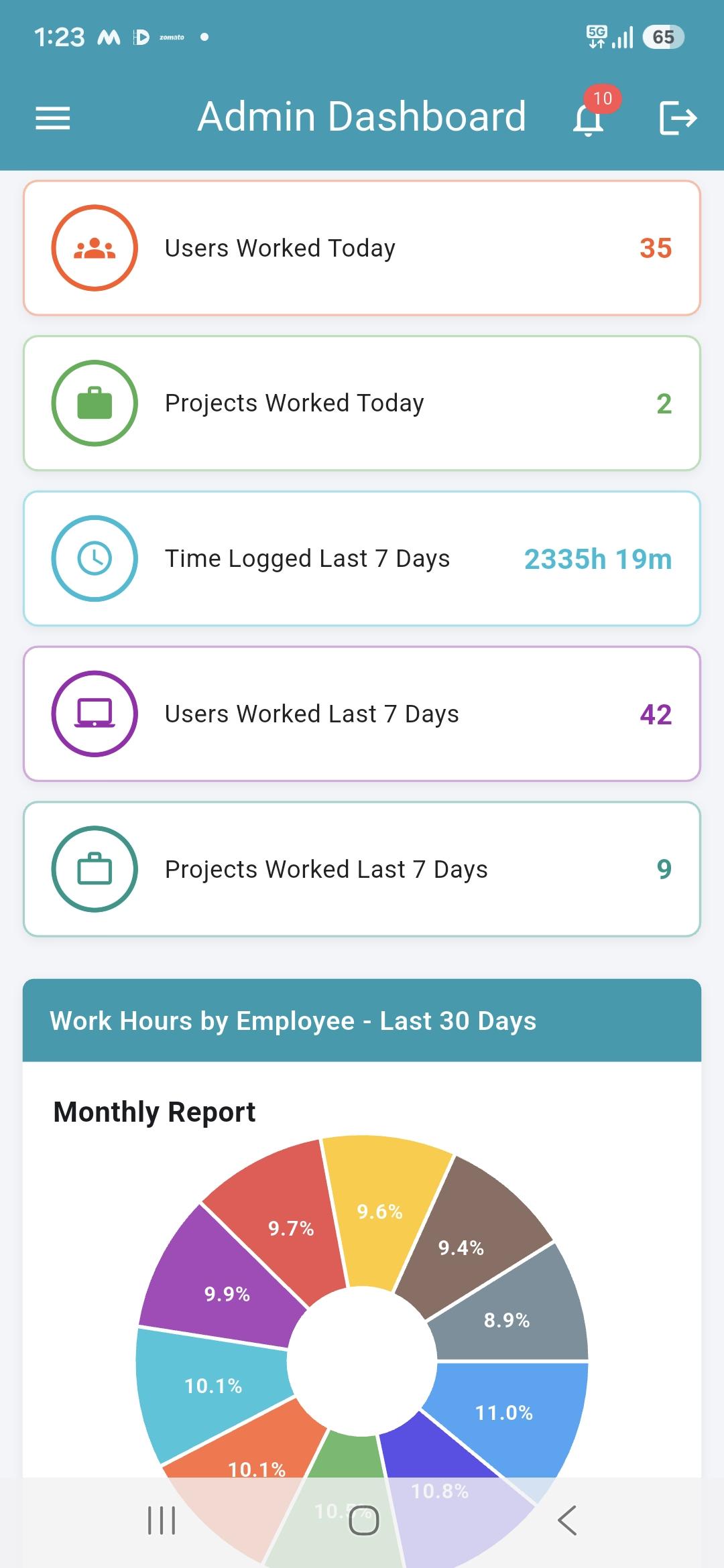
Key Benefits for Employees & Managers
Designed specifically to bridge the gap between office teams and on-field workforce.
Instant Check-In
One-tap daily attendance check-in and check-out with automatic work duration logging.
Location History
Verified GPS location logs for field visits, client site arrivals, and route history.
Mobile Timesheets
Record offline hours, project tasks, and work details directly from mobile devices.
Live Manager Dashboard
Review employee attendance, leave status, and project reports anytime, anywhere.
Built for Teams on the Move
See how different roles leverage WHM Mobile to maintain total work visibility.
Field Sales & Service Teams
Field reps can check in at customer sites, log client visits, and maintain verified location trails throughout their shift.
Remote & Hybrid Workforce
Remote workers check in instantly without needing desktop access, keeping their daily attendance and work hours logged accurately.
Construction & Site Inspectors
On-site engineers and inspectors submit attendance and offline time logs straight from job sites without administrative delay.
Managers & HR Approvers
Supervisors review team attendance, approve leave requests, and inspect project hours while travelling or away from desk.
Powerful Mobile App Capabilities
Everything you need for mobile workforce tracking in one seamless Android app.
1. One-Tap Mobile Attendance & Status
Employees can easily record daily Check-In and Check-Out with instant status confirmation and automatic work-duration counters.
- Real-time check-in and check-out recording
- Live total work hours counter for the day
- Instant synchronization with central web dashboard
2. Location History & Field Verification
Provide verified location history for field staff, ensuring transparency for client visits and field operations according to company policy.
- Location-aware check-in coordinates
- Detailed location logs for field team routes
- Radius and geofence compliance support
3. Mobile Timesheets & Offline Time Logging
Keep task logs and offline time entries up to date even when working out of office or in areas without desktop access.
- Submit offline work duration with comments
- View project-wise timesheet reports
- Manager review and approval workflows
4. Leave Management & Manager Reports
Employees apply for leaves on the go while managers get instant visibility into team leave balances, department filters, and attendance reports.
- Quick leave application and status tracking
- Department and user-wise report filters
- Role-based views for Admin, HR, Manager, and User
Frequently Asked Questions
Find answers to common questions about the WHM Mobile App.