App & URL Tracking Guide
Understand which applications and websites were used during tracked sessions.
Setup Instructions
Step 1
Open Activity Reports or dashboard report panels.
Step 2
Select the date range and user.
Step 3
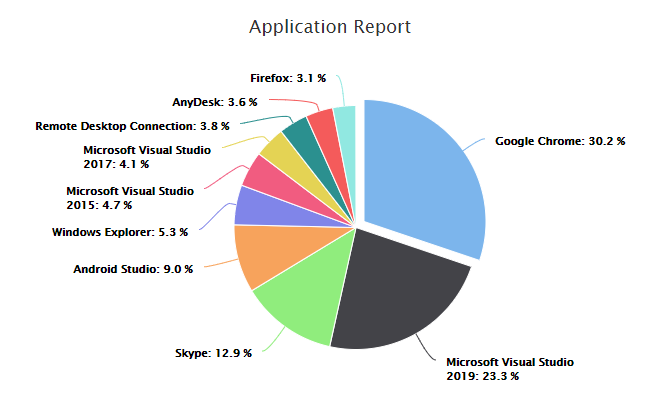
Review application usage percentages.
Step 4
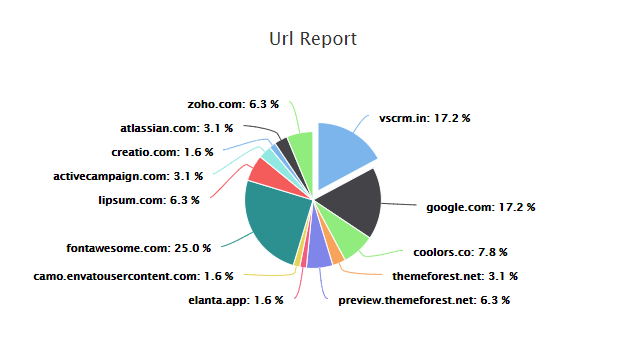
Review website usage percentages.
Step 5
Check non-productive reports when categories are configured.