Time Tracking Guide
Review live user status, daily hours, idle time, and last-seven-days totals.
Setup Instructions
Step 1
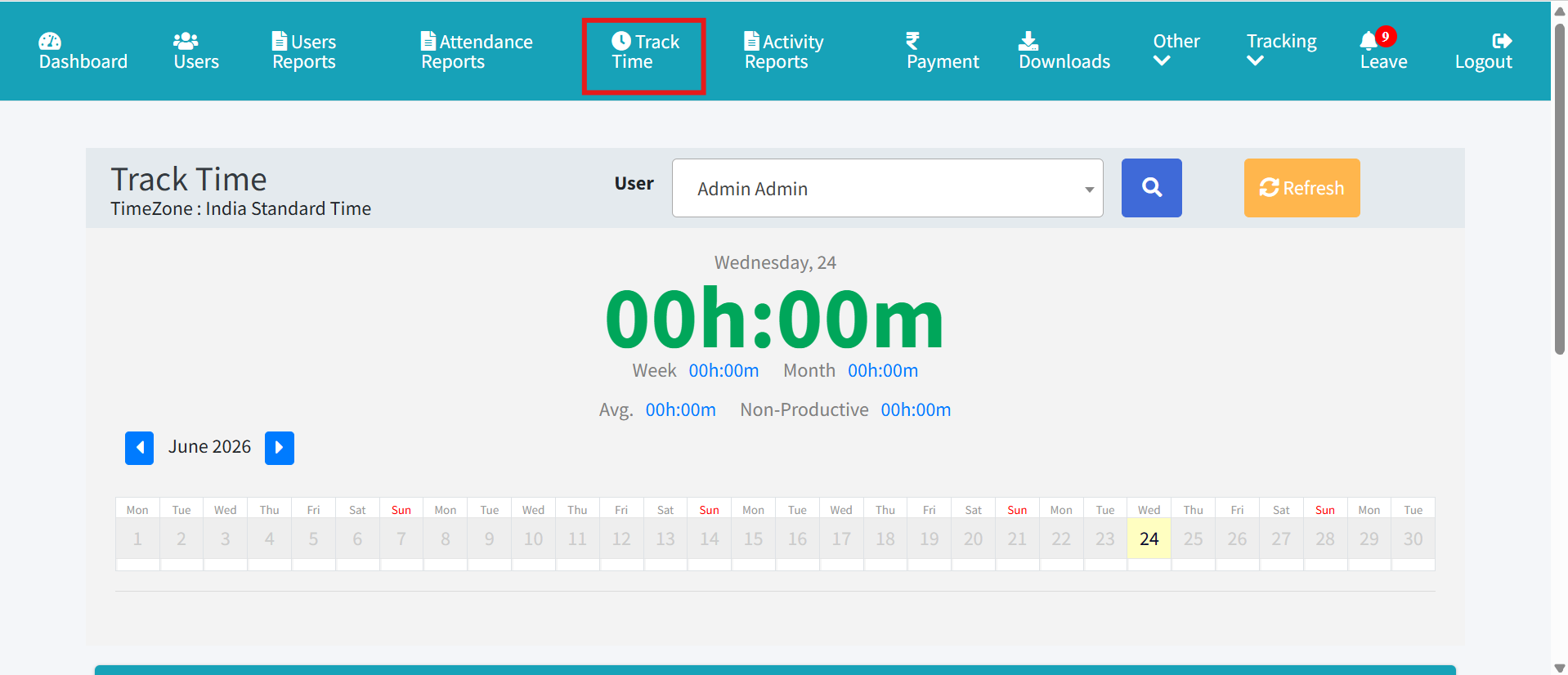
Open Admin Dashboard and Track Time.
Step 2
Review active users, time logged today, and weekly totals.
Step 3
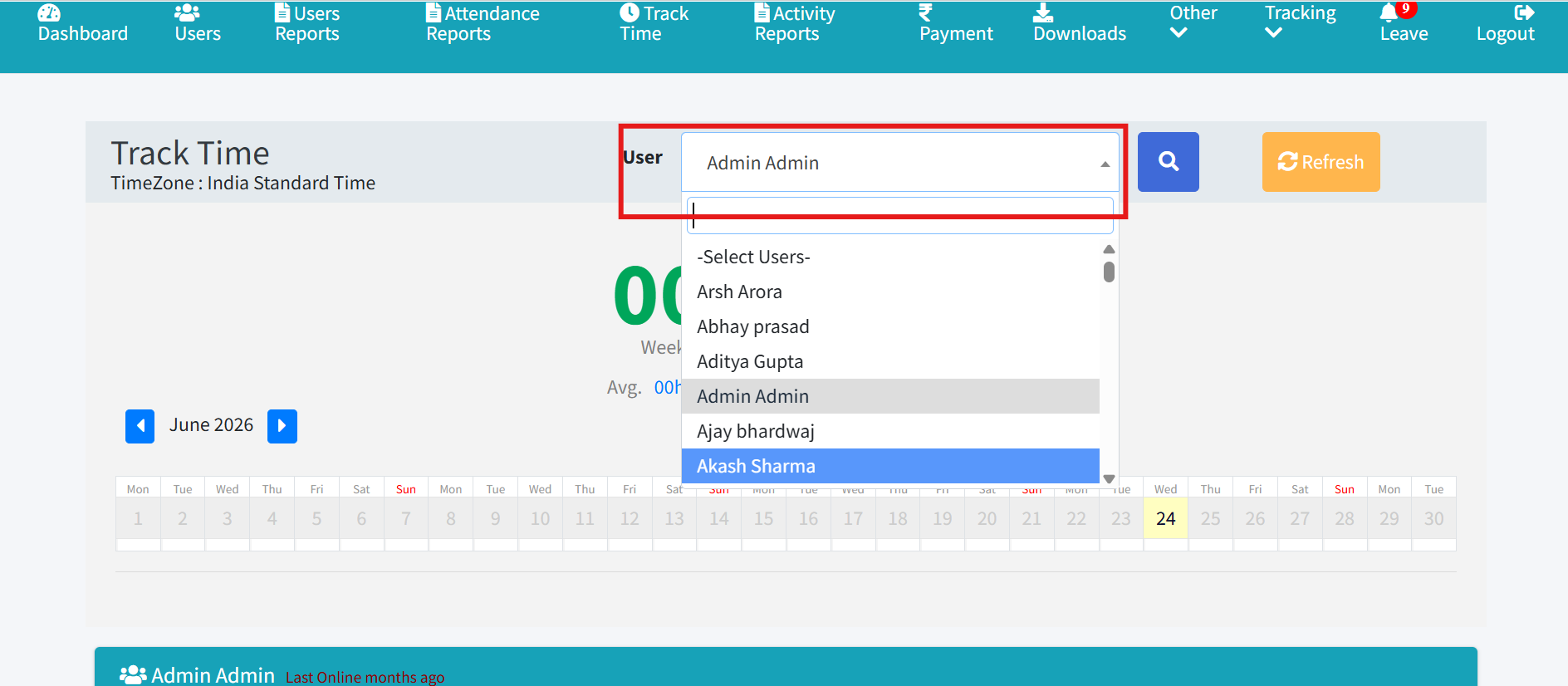
Select a user to inspect their activity timeline.
Step 4
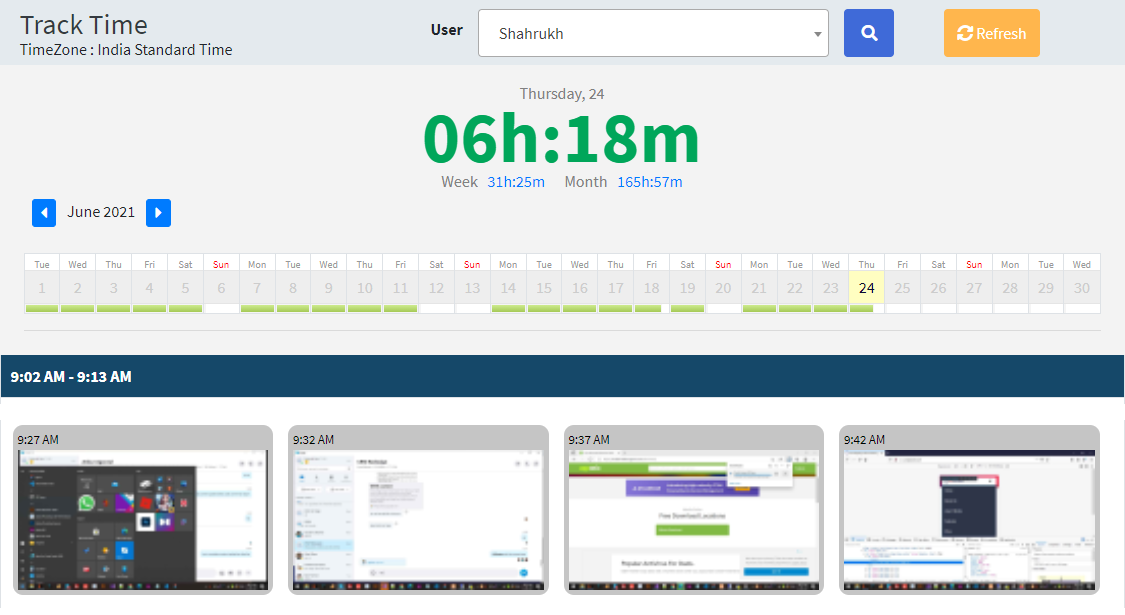
Check the screenshots of the user
Step 5
Check the Events Captured